Send online
The recipient gets an e-mail with a link to their team card – with all messages, pictures and GIFs, wherever they are.
- Ideal for remote teams
- Scheduled sending (Pro and up)

Design your team card in just a few minutes and start collecting messages. Simple, fast and online.
It’s super easy: determine who the recipient is and give your team card a title. The title is displayed above the entries and could be “Congratulations” or “We will miss you”, for example – just right for the occasion.
Optionally, you can also enter a group or team as the sender. This is also displayed at the top right of the team card.
Your name and e-mail address are then required. We need this information so that you can manage and send your team card later on.
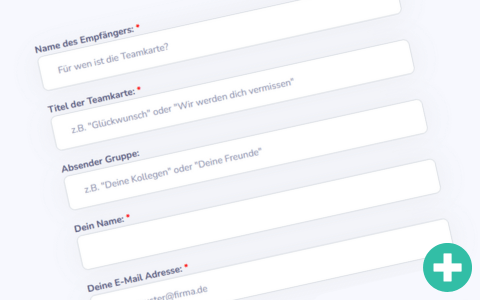
Now you can personalize your team card. Choose from a variety of backgrounds to suit your occasion.
Change the title at any time and activate a virtual confetti cannon for opening the team card.

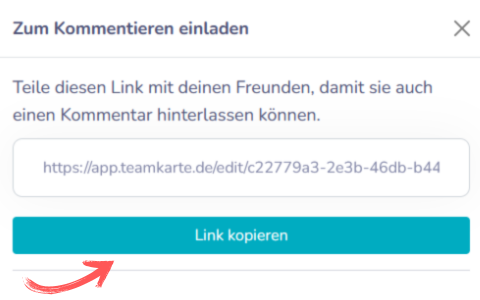
Invite other people to leave a personal message on the team card by simply copying the link and sharing it via your favorite communication tool (e.g. e-mail, Teams, Slack, WhatsApp, etc.).
Alternatively, you can also download and print a QR code.
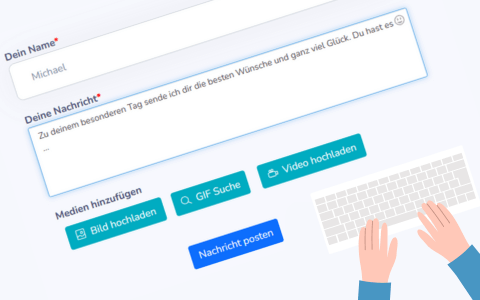
Now everyone who has received the link can leave a few personal words. In addition to a personal text, you can also add (shared) images, videos or animated GIFs. This makes each message particularly individual.
Take the first step and leave a message – this will motivate others to do the same.
Schedule your team card to be sent automatically to the recipient on a specific date and time. Or simply send the team card as soon as you are ready.
The team card is sent to the lucky recipient as an online version by e-mail. With all paid plans, the team card can also be downloaded at any time as a high-resolution graphic or printable PDF.
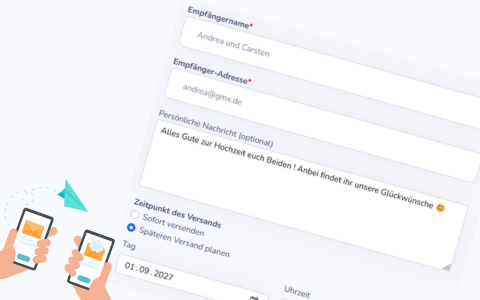
The lucky recipient will now receive an e-mail with a link to their digital team card.
They can view it online, download it as a high-resolution graphic or printable PDF and share it with their loved ones.
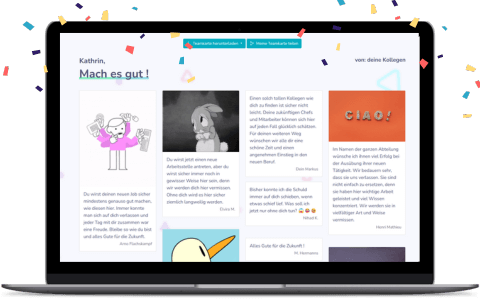
Everyone writes online. In the end, the recipient gets the team card by e-mail – or you hand it over in print.
Just get started – you’ll be ready in seconds. Invite friends, family or colleagues to share personal messages – wherever they are.